
A confirmation page is simply a page which shows after a form submission has completed. We have wanted to have a built-in confirmation page in Orbeon Forms for a long time, and with Orbeon Forms 2025.1, this is now available.1
We had two requirements for this feature:
- We wanted it to be easy to set up, without deep technical knowledge. In particular, we wanted to avoid requiring creating a custom page with HTML.
- But we also wanted it to have some flexibility, for example to be able to show a custom message, with values from the form.
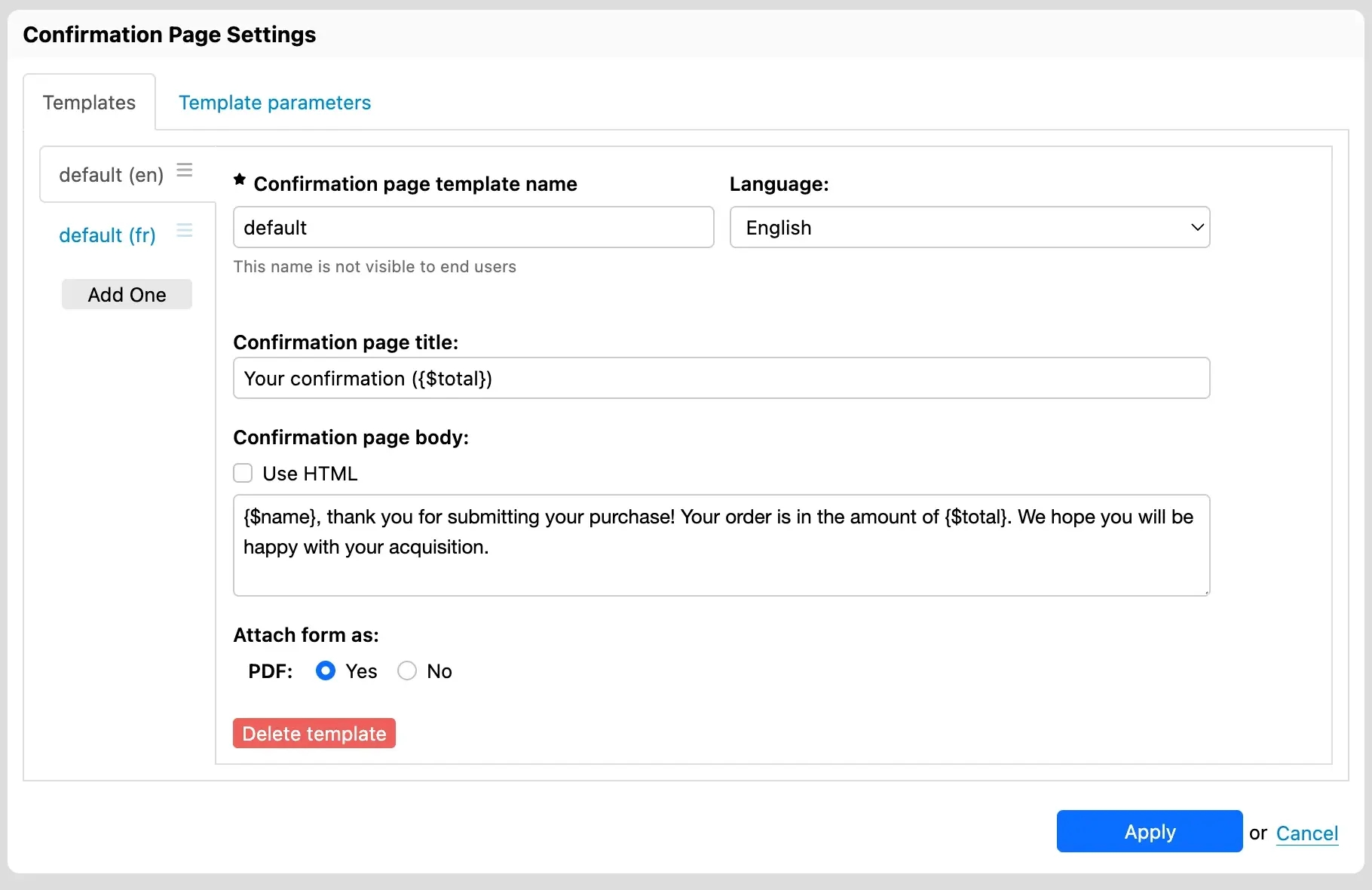
You configure the Orbeon Forms Confirmation page directly through a user interface in Form Builder. Here, you specify what message to show and whether a PDF download is also available. You can use templates to include values from the form, for example to show a personalized message with the name of the person who submitted the form. The message can, as usual in Form Builder, be localized by language.
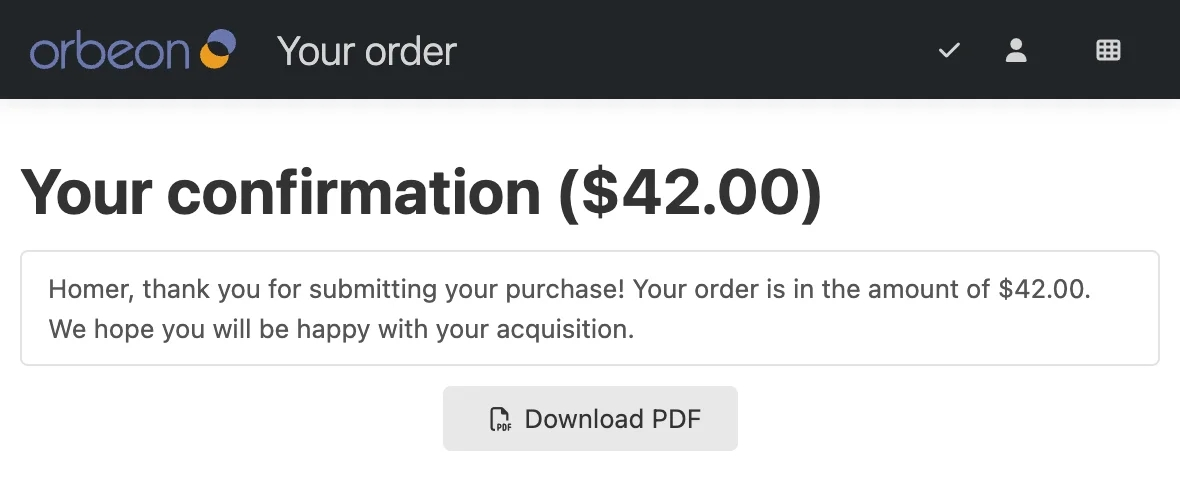
You configure access to the confirmation page through a process button. For example, you can have a “Submit” button which submits the form and then shows the confirmation page. Here is an example of a confirmation page which shows after form submission:
Not all forms need to have a confirmation page, and forms which have one can have different ones. As usual with Orbeon Forms, you can choose to enable this feature on a per-form basis.
For details, see the documentation on the Form Runner confirmation page.
We hope you will like this feature of Orbeon Forms 2025.1!
-
Interestingly, from a technical point of view, this feature is based on the new custom modes capability also introduced in Orbeon Forms 2025.1! ↩