
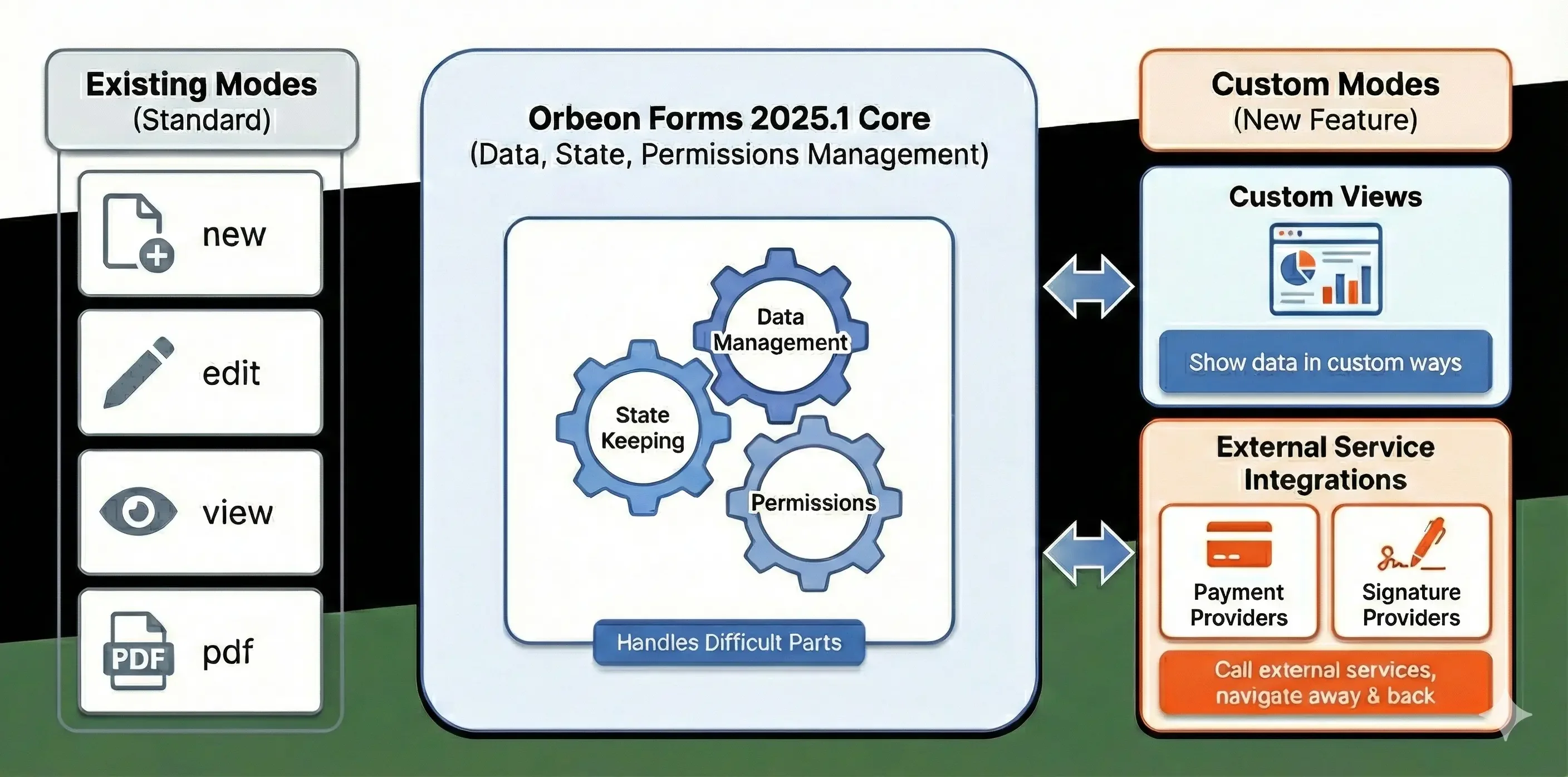
With Orbeon Forms, form data is presented in one of several modes, the main ones being:
- New mode: For creating new form data.
- Edit mode: For editing existing form data.
- View mode: For viewing form data in a read-only HTML format.
- PDF mode: For viewing form data as a PDF document.
With Orbeon Forms 2025.1, we are introducing custom modes. This enables two new different features for integrators:
- Custom Views: Showing existing form data in custom ways, for example showing a subset of the form data for confirmation.
- External Navigation: Navigating away from and back to Orbeon Forms, for example for calling external services such as payment and signature providers.
The good news is that Orbeon Forms handles for you the difficult parts: data management, state keeping, and permissions, in particular, while you can concentrate on your custom mode logic. The following diagram summarizes the overall flow:
For details, see the documentation on Form Runner custom modes.
We hope you will like this feature of Orbeon Forms 2025.1!