
Form controls such as input fields and dropdowns have associated data that needs to be saved or submitted. With Orbeon Forms, this data is, by default, stored into elements in an XML document. However, there are form controls which never1 have associated data, specifically the following:
- Explanatory Text: This form control presents an explanatory text to the user.
- Button: This form control is used to trigger actions.
Until now, Orbeon Forms didn’t give you an option to omit the associated XML elements when saving form data, which means that these form controls had an associated XML element in the database, even if it didn’t make much sense.
But with Orbeon Forms 2025.1.1, you can now mark any form control as non-persisted, which means that their associated data, if any, will not be saved or submitted. This is done easily in Form Builder, in the Control Settings dialog, by deselecting the “Persist control value” checkbox.
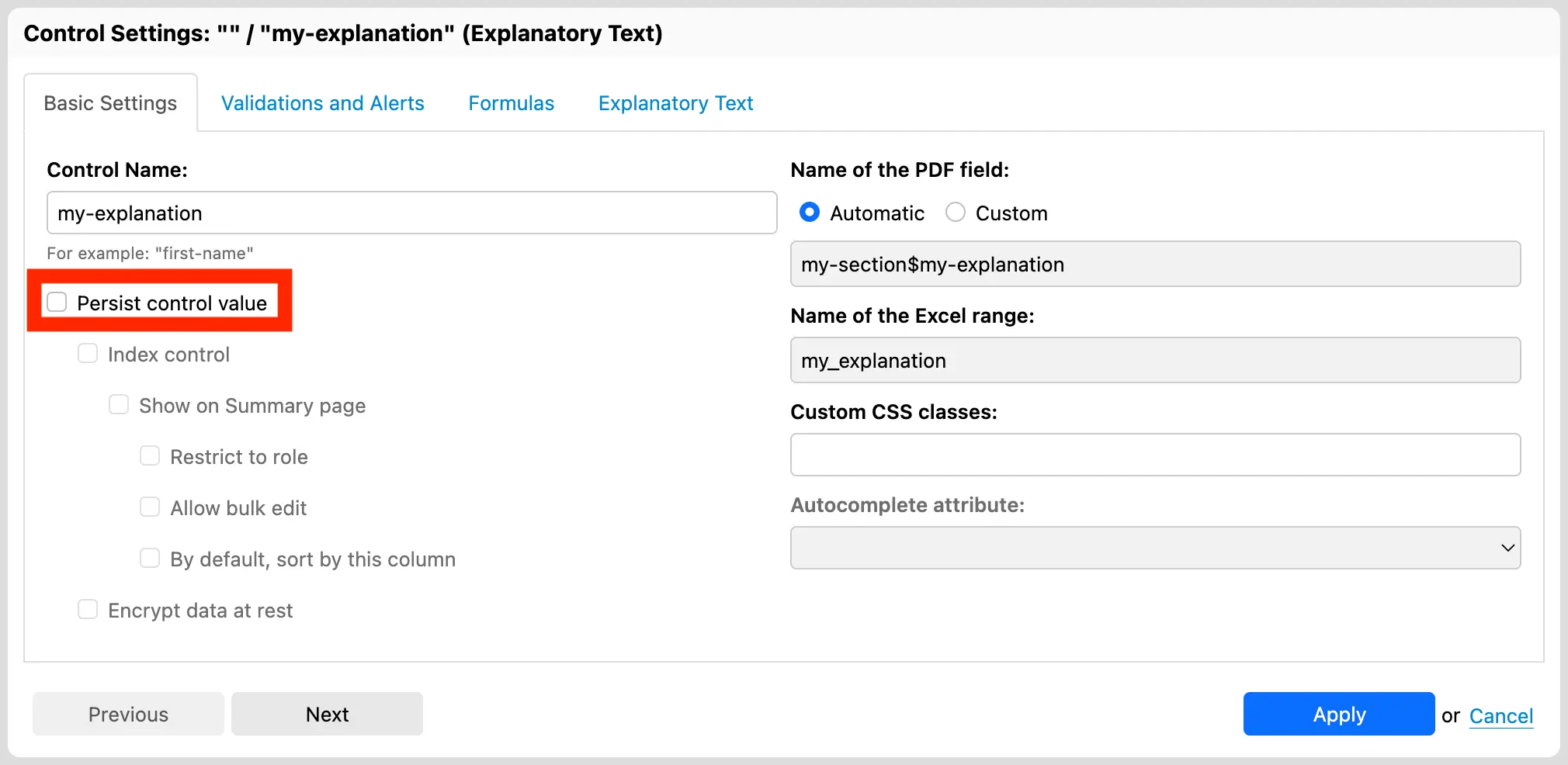
Newly-created Explanatory Text and Button controls now default to be non-persisted, as it generally makes sense. You can change this default behavior in the Control Settings dialog if you wish so.
For other form controls, you need to explicitly mark them as non-persisted if you want to avoid saving their associated data. Common use cases include:
- Calculated Value: This form control presents a readonly value typically calculated from other form controls.
- Hidden: This form control is not visible to the user, but can be used to store data that is not meant to be edited by the user.
In both cases, whether the associated values are persisted or not depends on the use case. For example:
- Easily Recalculated Value: A form controls which stores the sum of two other values can easily be recalculated when the form is loaded.
- Transient Value for PDF Output: A transient calculated value can be useful to extract or combine other form control values to insert them into a PDF template.
- Time-dependent Calculation: Some calculations are performed only once, or depend on the specific moment of their evaluation and need to remain constant after that. In such cases, the value must be persisted.
- Data-at-rest Visibility: It can also just be useful to have access to such values directly in the data at rest.
When a form control is marked as non-persisted, it cannot be encrypted or indexed, as these features depend on the data being persisted. The Form Builder user interface reflects this by making sure the options are consistent.
We hope you will like this feature of Orbeon Forms 2025.1.1!
-
Although you could associate data with these form controls using Calculated Value formulas, a user can never enter data into them directly. ↩