
Many forms start as a PDF. You want users to fill out a friendly web form, but some downstream department or regulator still expects the exact official PDF at the end.
Orbeon Forms has supported PDF templates for years: attach a fillable PDF to your form, match the control names to the PDF fields, and Orbeon Forms fills out the PDF automatically at runtime. The catch was always building the web form in the first place: reading the PDF, creating every control by hand, copying labels, and wiring up the field names.
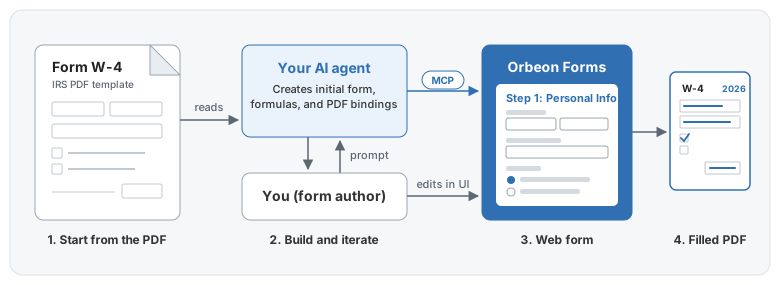
With an AI agent connected to the Form Builder MCP, the agent does that heavy lifting for you.
Building the W-4 sample form
That’s how I built our new IRS Form W-4 sample form. I gave the agent the official IRS W-4 PDF, and it read the file and called the Form Builder MCP tools to create the initial form:
- Controls and labels. It created a section for each step, picked the right controls (text, radio buttons, currency, dates, SSN), and copied over the labels and hints from the PDF.
- Formulas and visibility. It added formulas to calculate dependent credits automatically ($2,200 per child, $500 per other dependent) and hid Steps 2–4 when the user claims exemption from withholding.
- PDF bindings. It attached the PDF template and mapped every control to its corresponding AcroForm field in the PDF, including a calculated field that combines City, State, and ZIP code into the single line expected by the IRS PDF.
Iterating: prompts and direct manipulation
That first pass got me 80% of the way there in a couple of minutes. Because the agent creates a standard Form Builder form (not a black box of generated code), I finished the remaining 20% using whichever tool was faster for each change:
- Prompting the agent for formulas, regex validations, and bulk label edits.
- Using Form Builder for visual tweaks like adjusting grid layouts, enabling the wizard view, or adding a callout with the
078-05-1120demo SSN.
You prompt when words are faster, and you click when direct manipulation is faster.
The result
Here is the resulting W-4 web form running in Form Runner’s wizard view:

And here is the official IRS Form W-4 PDF filled by Orbeon Forms from the data entered above:
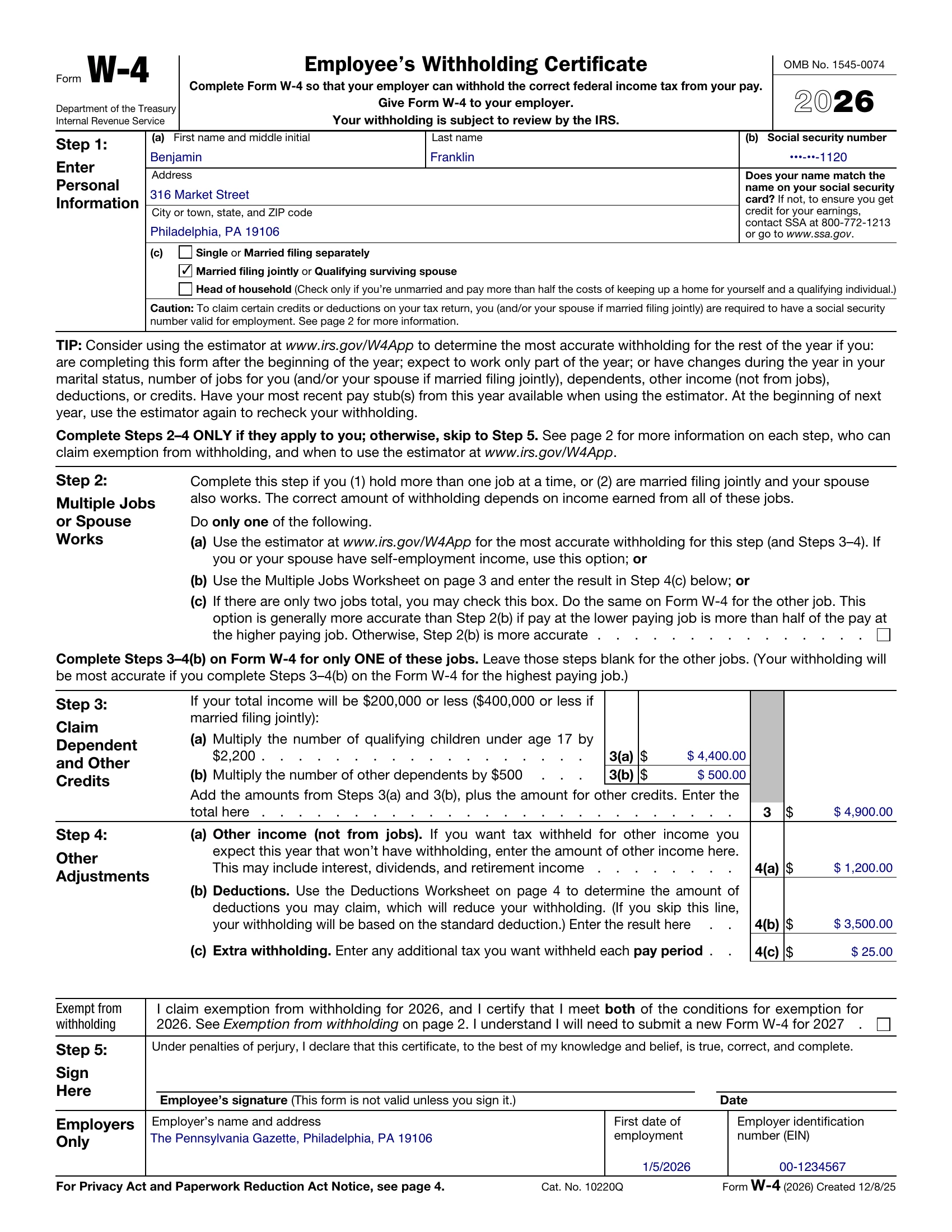
Users get a step-by-step web wizard that does the math for them. Payroll still gets the exact IRS PDF it expects. And building the form took minutes instead of an afternoon.
To try this with your own PDFs, see the Form Builder MCP documentation.